Features
A memory tool that asks permission first
Everything below runs on your device by default. The one feature that doesn’t — optional cloud reasoning — is off until you turn it on, and transparent when you do.
SPEECH
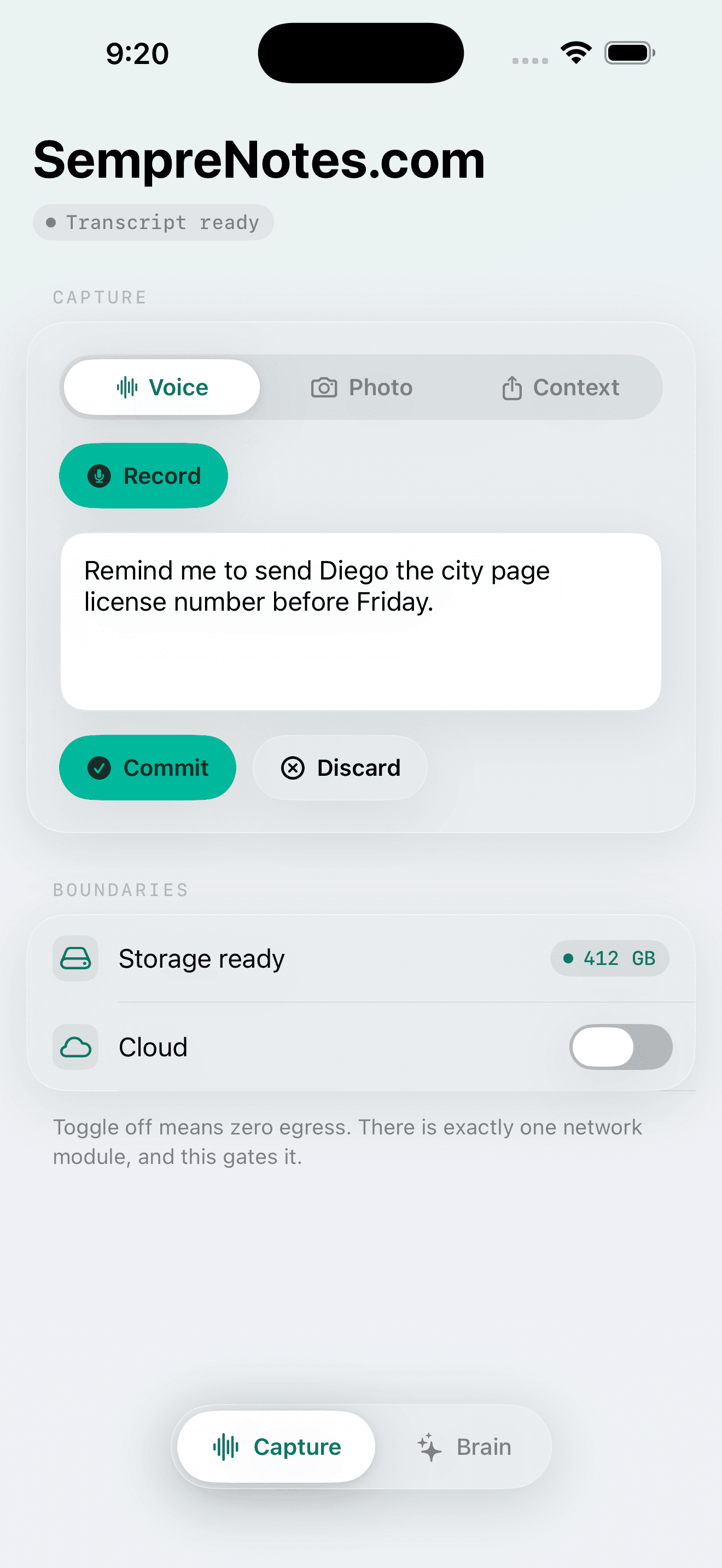
Voice-first capture
Dictate ideas in motion. SempreNotes uses on-device Speech recognition — your audio never touches a network — and shows you the transcript to edit or discard before anything is saved. Works in airplane mode.
VISION OCR
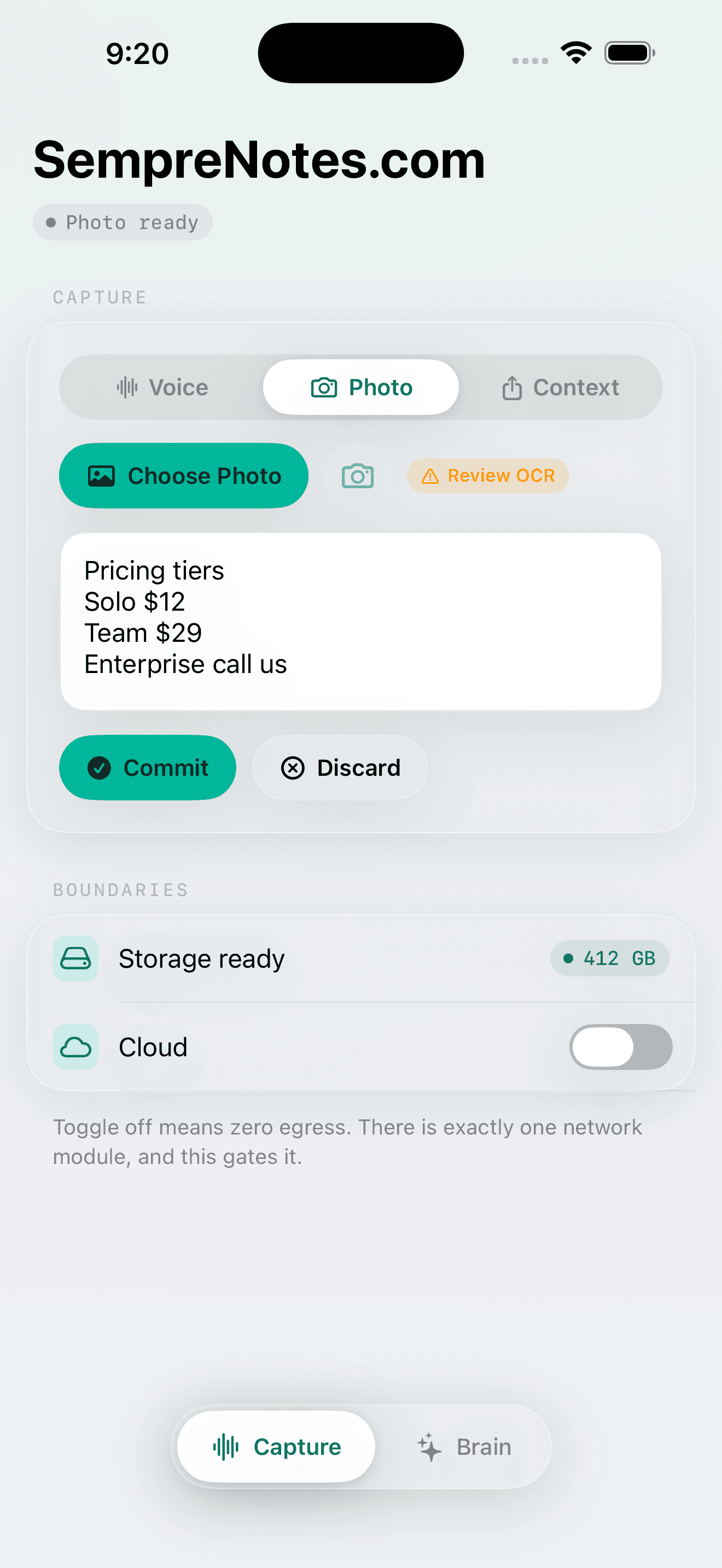
Photo to insight
Point the camera at a whiteboard, a document, a receipt — or pick from your photo library. On-device Vision OCR extracts the text, keeps low-confidence regions flagged instead of guessing, and stores both image and text as one memory.
LOCAL RETRIEVAL
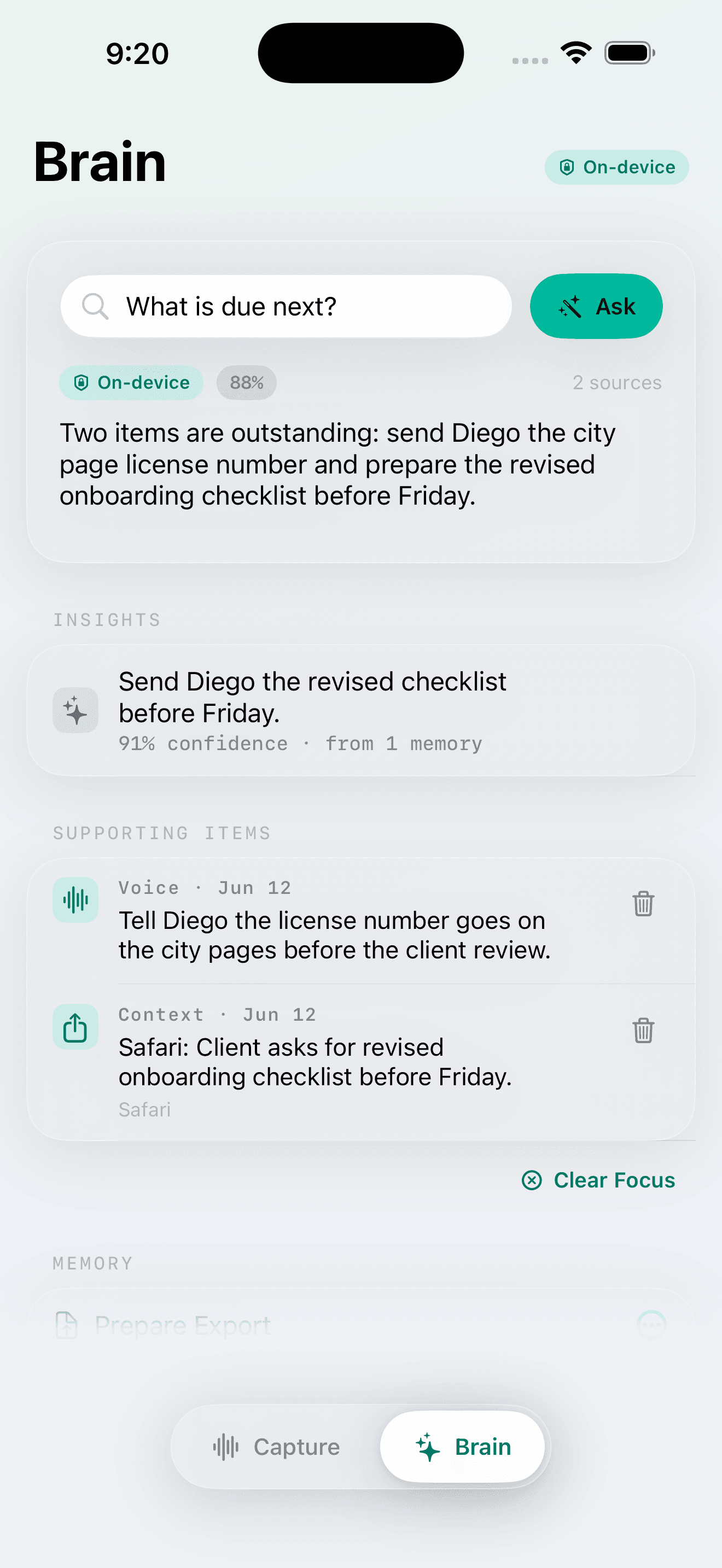
The living brain
Every approved capture feeds a persistent local memory. Ask a question in plain language and SempreNotes answers from what you actually saved, citing the supporting memories. If two memories conflict, it shows you both with timestamps. If nothing matches, it says so instead of inventing.
BYO KEY
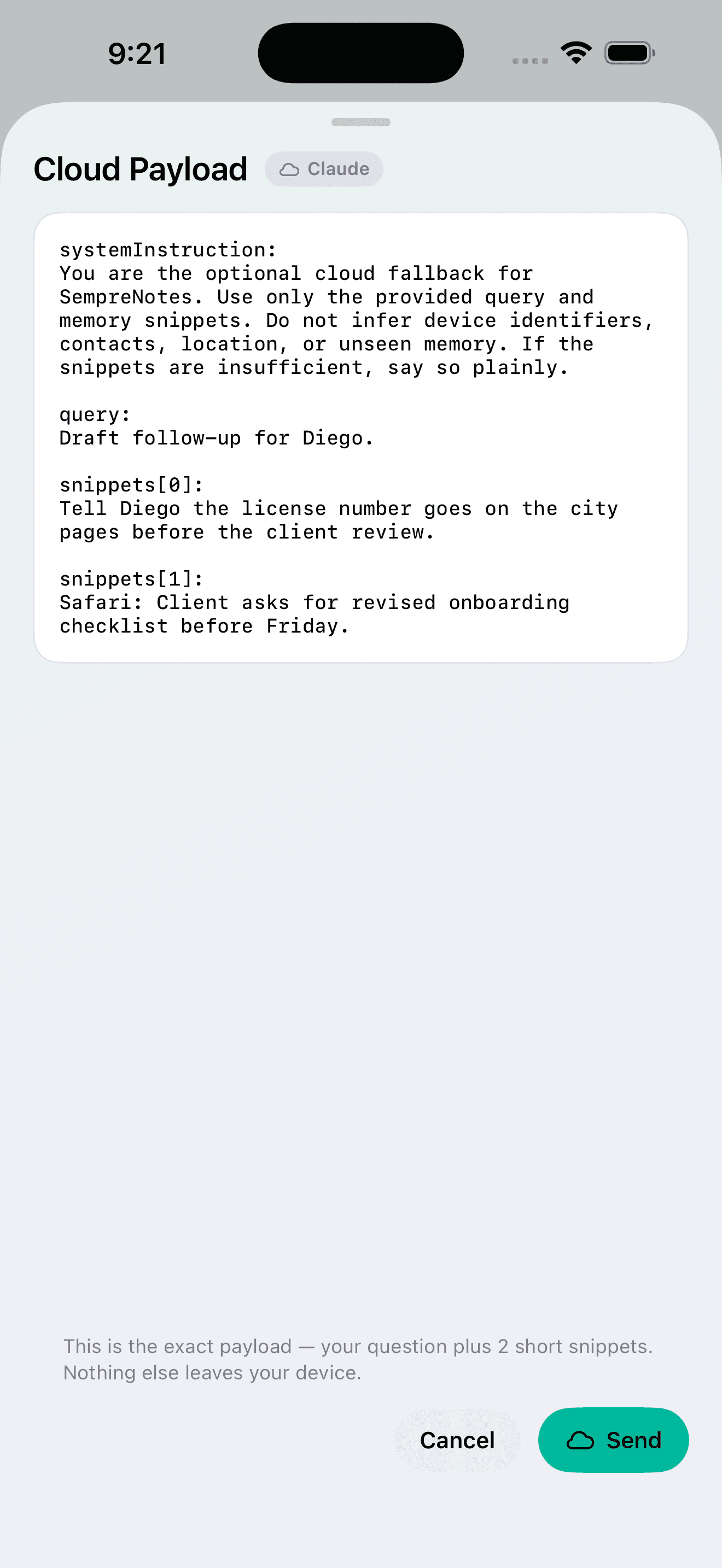
Cloud, only on your terms
Need deeper reasoning on a hard question? Flip the cloud toggle, add your own Claude or Gemini API key, and tap go deeper. SempreNotes shows you the exact payload — your question plus at most five short snippets — before anything is sent, and labels every cloud answer.
And the quiet parts
Share Sheet & Shortcuts
Send selected text, links, or Shortcut output into SempreNotes from any app. Imports stay reviewable — nothing commits behind your back.
Opt-in insights
Off by default. When enabled, SempreNotes surfaces at most two batches of high-confidence, source-attributed suggestions per day, with mute and snooze.
Spotlight search
Memories are indexed in iOS Spotlight. Search from your home screen; tapping a result opens the supporting memory.
Export & delete
Your entire memory exports as JSON anytime. Delete one item, a whole source, a date range, or everything. Deleting the app deletes all data.
Partial permissions
Deny the microphone and voice capture disables — photo, share, and recall keep working. SempreNotes requests only what the feature you invoke needs.
iPad split view
A native SwiftUI layout that uses the iPad's space properly — capture on one side, brain on the other.